School Choice Transfers
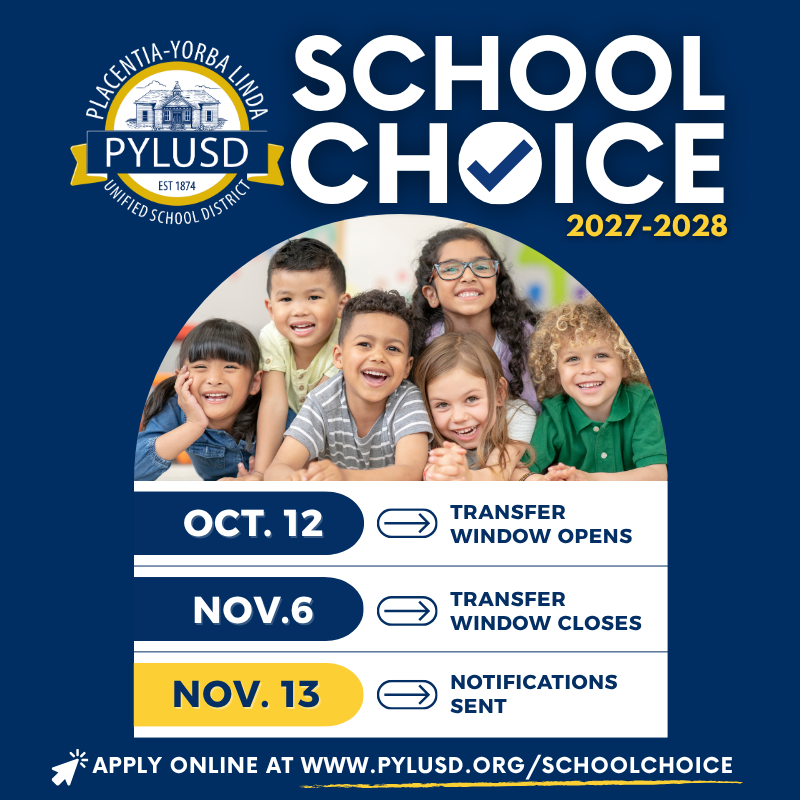
School Choice Transfer Priority Window for the 2027-2028 School Year
Transitional Kindergarten (TK) -12 School Choice Transfer Priority Window
Dates: October 12, 2026 – November 6, 2026
Notification Date: On or before November 13, 2026
Families are encouraged to submit their transfer requests during the priority window to ensure full consideration. Requests received after November 6, 2026, will be considered on a rolling basis through the first week of school. Families will be notified if space becomes available at their requested school.
*Approved Choice Transfers remain valid through eighth grade. Students who choose to return to their school of residence for middle school will need to submit a new Choice Transfer application.
*All transfer approvals are contingent upon enrollment capacity and available space at the requested school site.
Instructions for Submitting a School Choice Transfer
Step 1: Find your path
Find the row that matches your student, then complete the path(s) listed. Every application ends with Submit Your Request.
Path A: Returning to PYLUSD
- Email [email protected] with your student's full legal name and date of birth.
- Technology Services will reactivate the record.
- Once the record is reactivated, continue to Submit Your Request.
Path B: New to PYLUSD? Create a Portal Account
- Go to the new account page.
- Enter your information and click Next. Watch for a verification email from [email protected]g (add it to your contacts).
- Log in with your new email and password.
- You will automatically be directed to Path C.
Path C: Add Your Student
- Log in at portal.pylusd.org.
- Go to the Add Student page.
- Enter the required parent/guardian and student information, then click Save. (The portal labels this screen "Step 1 - General Information.")
- Continue to Submit Your Request.
Submit Your Request (ALL Applicants)
- Log in at portal.pylusd.org.
- Click your student's name (the blue link).
- On the left, click Student Info, then School of Choice Requests.
- Click Create New School of Choice Request.
- Choose your transfer type:
- Intra District: you live in PYLUSD and want a different PYLUSD school.
- Inter District: you live outside PYLUSD and want a PYLUSD school.
- Select the school you are requesting and complete all required fields.
- Review carefully, then click Save to submit.
Note: Once submitted, the request cannot be changed. By submitting, the parent/guardian acknowledges and agrees that, if approved, the transfer will remain in effect through the highest grade level offered at the approved school, and that transportation to and from school is the parent/guardian's responsibility.
If you live outside the PYLUSD boundaries and are requesting an inter-district transfer to continue attending PYLUSD, you must apply for a transfer release from your district of residence. If available, please attach your inter-district transfer release to the online application.
Current GATE-identified students attending GATE Magnet Schools do not need to request a School Choice Transfer. Students awaiting notification of GATE eligibility must adhere to all GATE policies regarding magnet school placement when notified by the GATE Office. Visit www.pylusd.org/gate/ or contact the GATE Coordinator for further information at (714) 985-8650.
Questions? Have questions about School Choice Transfer Requests? Call the Student Services Department at (714) 985-8670.